WebGL originated from experiments on the Canvas 3D American developer of Serbian
origin Vladimir Vukicevic from Mozilla in 2006. Then developers of browsers
Opera and Mozilla began to create their own WebGL implementations. And later a working
group was organized with the participation of the largest developers of browsers Apple,
Google, Mozilla, Opera to work on the specification of technology. And on March 3, 2011,
the WebGL 1.0 specification was introduced.
What is the WebGL?
WebGL (Web-based Graphics Library) is a technology based on OpenGL ES 2.0 and is designed for graphic design and
interactive display of 2D and 3D graphics in web browsers. Any plug-ins
or libraries are not required to work with this technology. All WebGL-based Web application
work is based on the JavaScript code, and some code-shader elements can be executed directly
on graphics cards on video cards, allowing developers to gain access to additional computer
resources and increase performance. Developers can use HTML / CSS / JavaScript standard
web technologies to create applications, and also use accelerated graphics.
WebGL runs on the GPU on your computer. As such you need to provide the code that runs on that GPU.
You provide that code in the form of pairs of functions. Those 2 functions are called a vertex shader
and a fragment shader and they are each written in a very strictly typed C/C++ like language called GLSL.
(GL Shader Language). Paired together they are called a program.
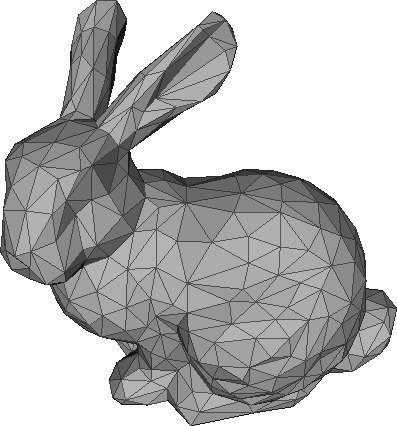
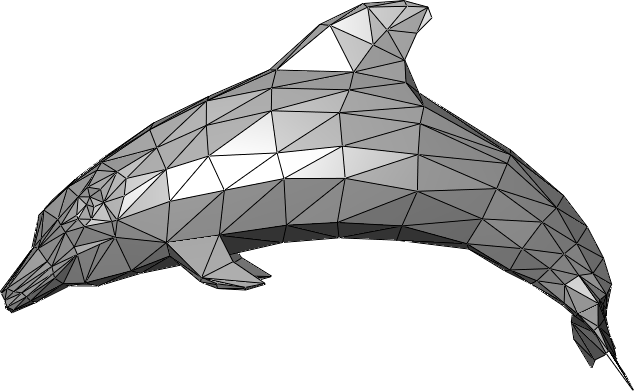
Triangles can never be non-planar; anything with more than 3 points
can be non-planar and thus un-renderable unless converted to triangles.
For example: A square is two triangles that are on the same plane, if
all the points that make up the square are co-planar. It takes a lot of
calculations to make sure all the points are co-planar, thus all polygons
that are greater than 3 points are pre-calculated by decimating them into
triangles and tested to make sure all the points are co-planar once, instead
of on every frame that gets rendered
Shaders
WebGL runs on the GPU on your computer. As such you need to provide the code
that runs on that GPU. You provide that code in the form of pairs of functions.
Those 2 functions are called a vertex shader and a fragment shader and they are
each written in a very strictly typed C/C++ like language called GLSL. (GL Shader Language).
Paired together they are called a program.
A vertex shader's job is to compute vertex positions. Based on the positions the function
outputs WebGL can then rasterize various kinds of primitives including points, lines, or triangles.
When rasterizing these primitives it calls a second user supplied function called a fragment shader.
A fragment shader's job is to compute a color for each pixel of the primitive currently being drawn.
Nearly all of the entire WebGL API is about setting up state for these pairs of functions to run.
For each thing you want to draw you setup a bunch of state then execute a pair of functions by calling
gl.drawArrays or gl.drawElements which executes your shaders on the GPU.
Any data you want those functions to have access to must be provided to the GPU.
There are 4 ways a shader can receive data:
Attributes and Buffers
Buffers are arrays of binary data you upload to the GPU. Usually buffers contain things
like positions, normals, texture coordinates, vertex colors, etc although you're free to
put anything you want in them.
Attributes are used to specify how to pull data out of your buffers and provide them to
your vertex shader. For example you might put positions in a buffer as three 32bit floats
per position. You would tell a particular attribute which buffer to pull the positions out
of, what type of data it should pull out (3 component 32 bit floating point numbers), what
offset in the buffer the positions start, and how many bytes to get from one position to the next.
Buffers are not random access. Instead a vertex shaders is executed a specified number of times.
Each time it's executed the next value from each specified buffer is pulled out assigned
to an attribute.
Uniforms
Uniforms are effectively global variables you set before you execute your shader program.
Textures
Textures are arrays of data you can randomly access in your shader program. The most common
thing to put in a texture is image data but textures are just data and can just as easily
contain something other than colors.
Varyings
Varyings are a way for a vertex shader to pass data to a fragment shader. Depending
on what is being rendered, points, lines, or triangles, the values set on a varying by
a vertex shader will be interpolated while executing the fragment shader.
Profit
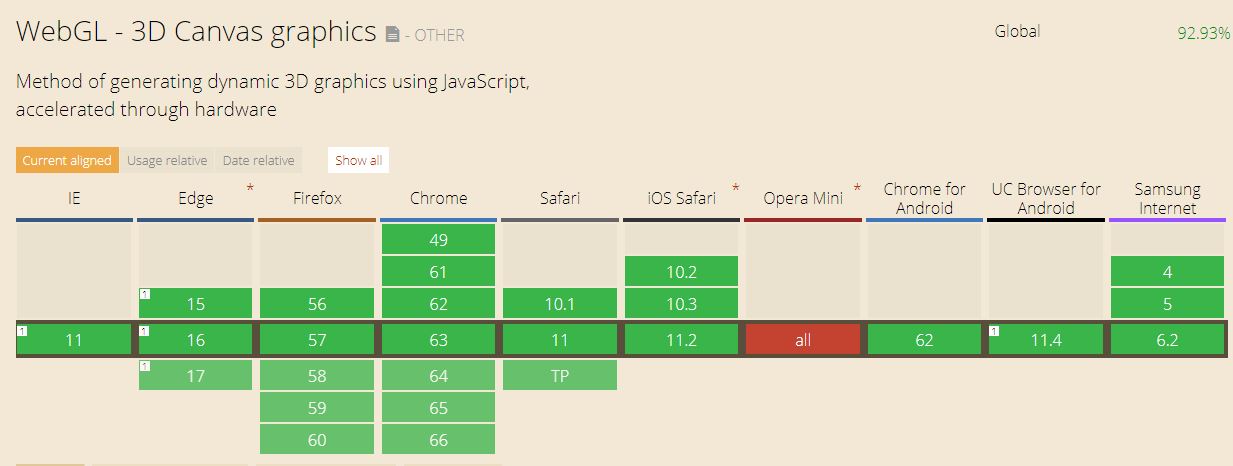
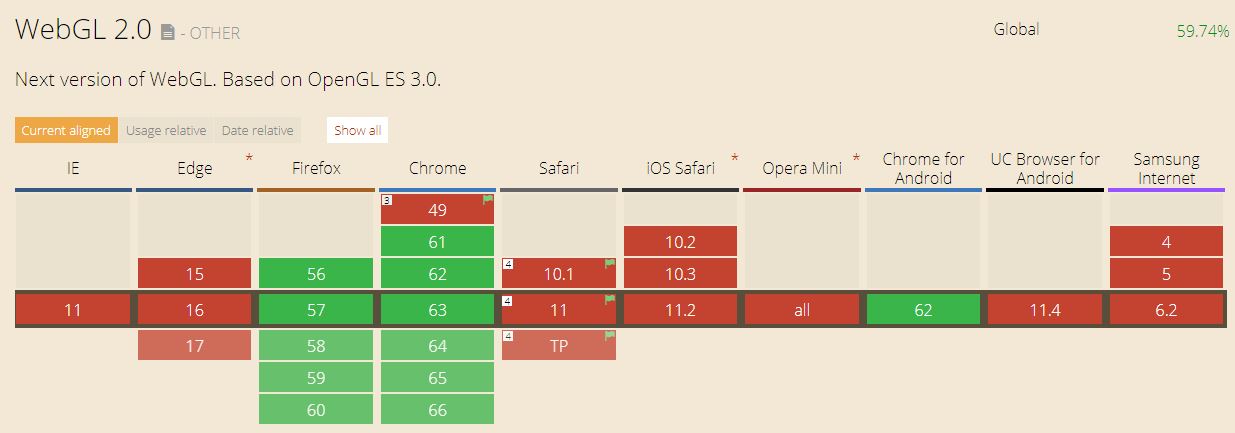
Cross-browser compatibility and lack of binding to a certain platform.
Windows, MacOS, Linux - all this is not important, the main thing is that
your browser supports WebGL.
Using JavaScript, which is fairly common.
Since WebGL uses a graphics processor on a video card (GPU) for graphics rendering,
this technology is characterized by high productivity, which is comparable to the
performance of native applications.